
Download ZGestion – Business Management, Invoicing, Stock Management, Small Business, Productivity Tool, Digital Tools, Business Software, Inventory Tracking
Overview
ZGestion is a mobile application designed to help small business owners streamline their daily operations through digitized business management processes. The app focuses on simplifying two core areas: invoicing and stock management, which are essential for maintaining financial clarity and operational efficiency. By eliminating the need for complex IT infrastructure or technical expertise, ZGestion empowers entrepreneurs, shopkeepers, and freelancers to manage their businesses more effectively using just a smartphone or tablet. The software is particularly beneficial for users who rely on manual or paper-based systems and are seeking a reliable, low-barrier entry into digital business tools.
Its target audience includes small business operators, micro-entrepreneurs, and service providers who need to track inventory, generate invoices, and manage client and supplier data without investing in costly enterprise solutions. The app’s design philosophy centers on accessibility and ease of use, ensuring that users with minimal digital experience can quickly adapt. Real-world use cases include managing a local retail store’s inventory, issuing service invoices for freelance work, or organizing delivery notes for a small delivery business. In the broader app ecosystem, ZGestion fills a niche for lightweight, focused productivity tools tailored to underserved segments of the small business market.
The developer, ZGestion, has positioned the app as a standalone solution for foundational business tasks. Although the developer did not provide additional technical details or background, the app’s release date of January 7, 2022, indicates a stable presence in the market. This longevity suggests ongoing support and relevance in a competitive digital landscape.
Key Features & Functionality
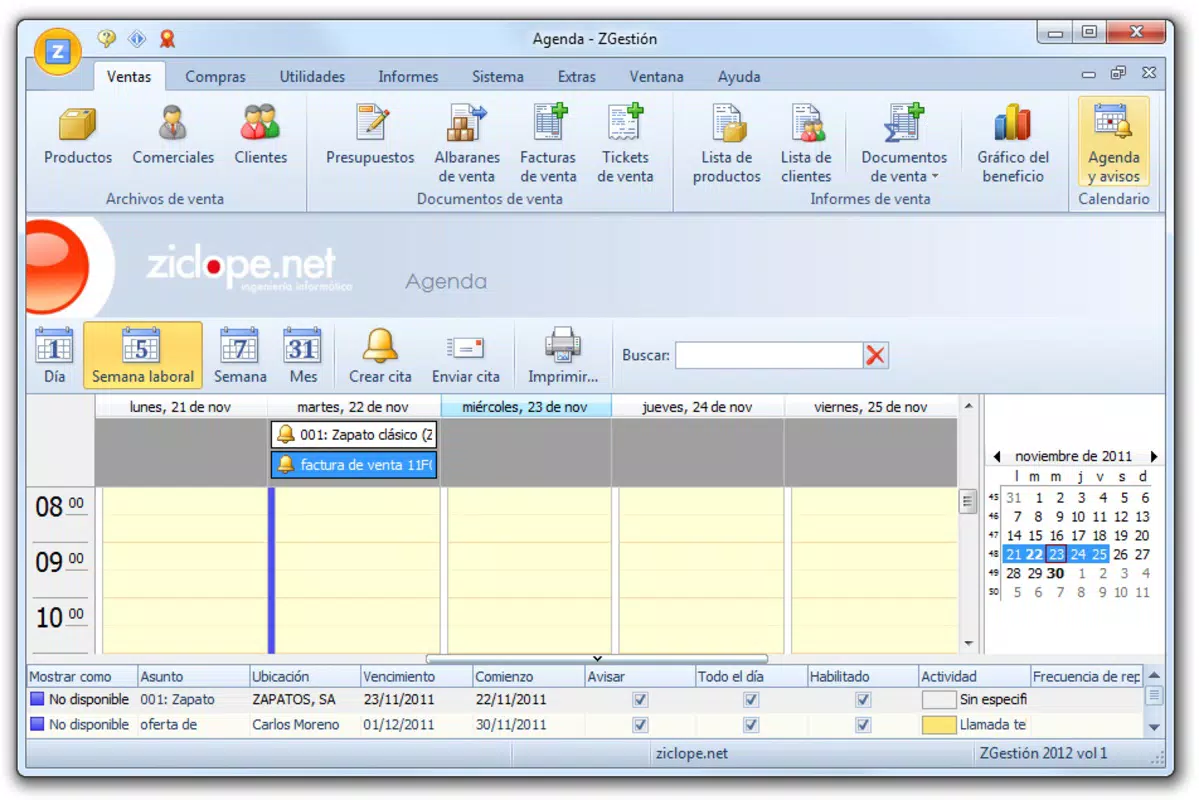
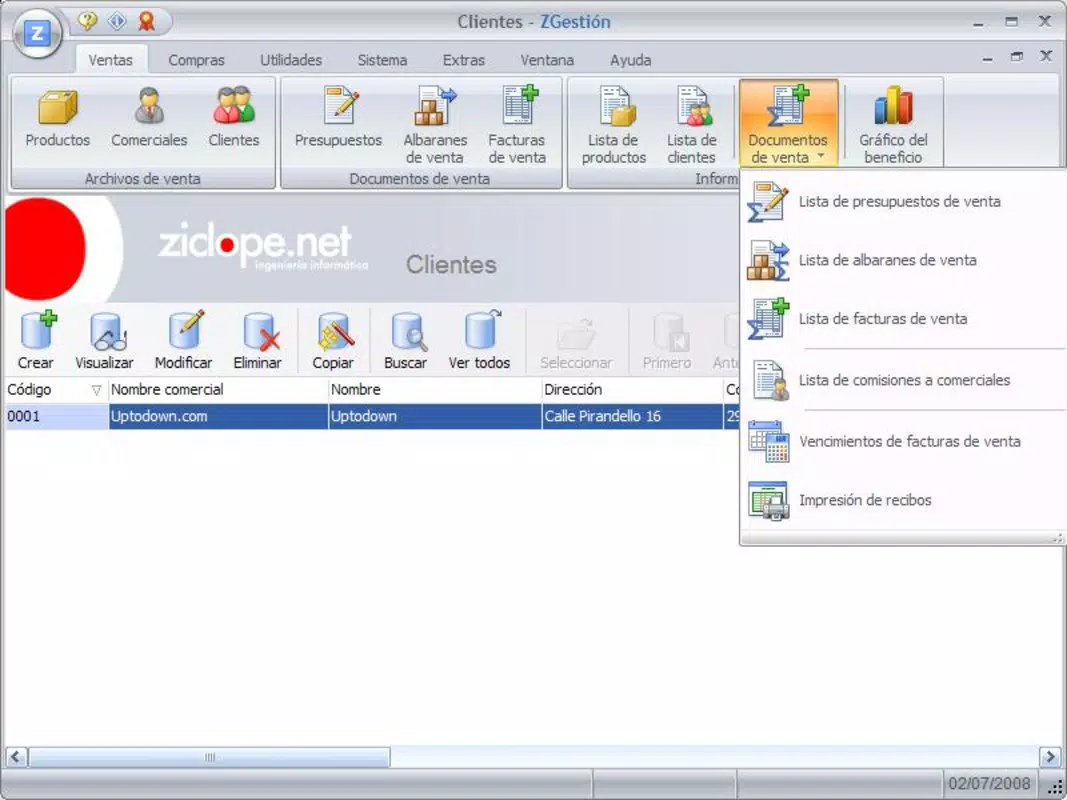
- Intuitive User Interface: The app features a clearly structured layout with functions organized into tabs, enabling users to access key tools without confusion. This design reduces the learning curve and allows employees or business owners to focus on tasks rather than navigation.
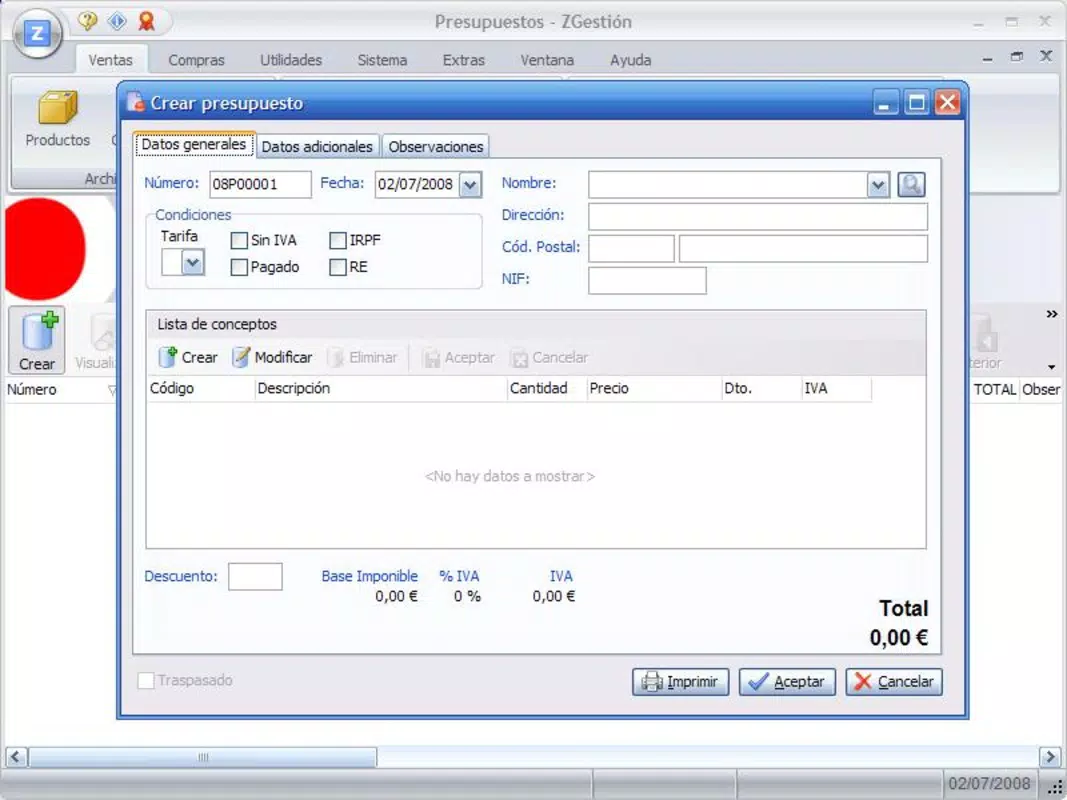
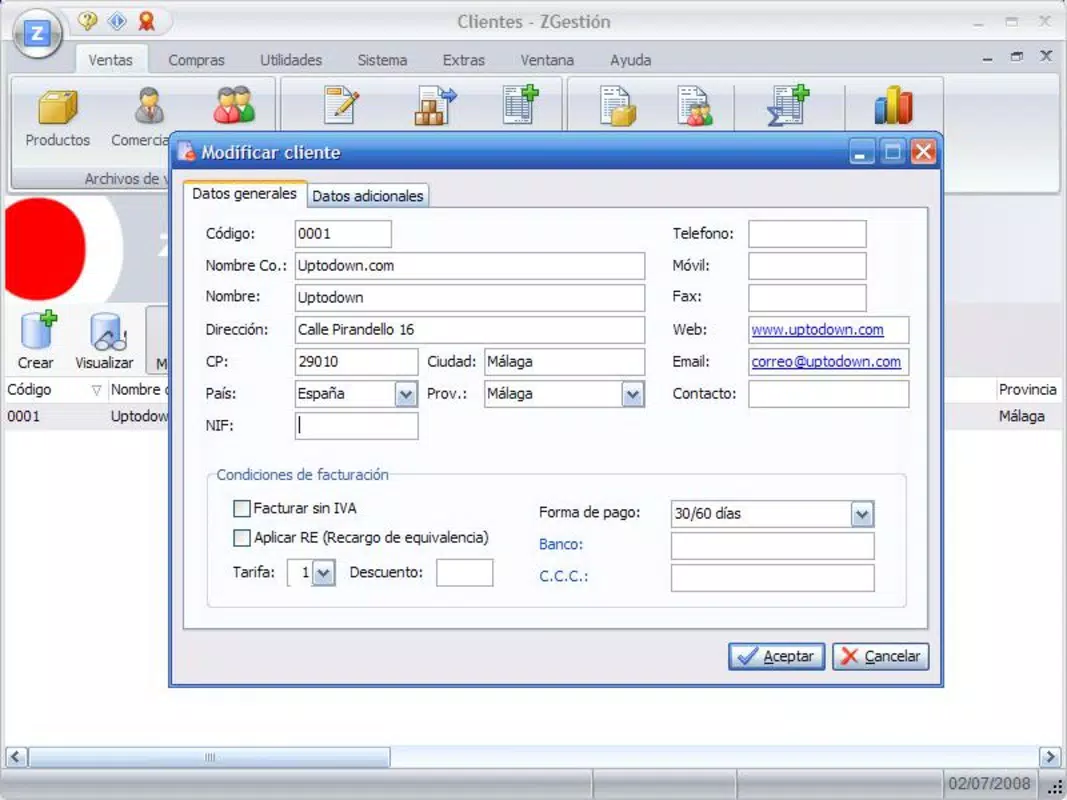
- Comprehensive Management Tools: ZGestion supports the management of products, services, clients, suppliers, and sales. Users can create and track invoices, delivery notes, and budgets all within a single platform, minimizing the need to switch between multiple apps.
- Customizable Templates: The app allows users to design and save templates for invoices and budgets. This feature supports brand consistency and ensures professional documentation, which is essential for building credibility with clients and partners.
- Integrated Web Browser: A built-in web browser enables users to access online resources, support guides, or industry information without leaving the application. This integration enhances workflow continuity and supports self-directed learning.
- Quick Printing Functionality: Users can convert delivery notes and budgets into printable invoices with a single tap. This feature accelerates transaction processing and reduces manual data entry, improving overall efficiency.
For example, a small retailer can use the app to update stock levels after a sale, generate a client invoice using a pre-designed template, and print it instantly for delivery. Similarly, a freelance designer can manage client projects, issue invoices, and track payments—all within the same interface. These use cases demonstrate how the app supports real-time decision-making and operational transparency.
Interface, UX & Performance
The user interface of ZGestion is designed with clarity and simplicity in mind. Navigation is structured around clearly labeled tabs, which guide users through core functions such as invoicing, inventory, and client management. The visual style is clean and functional, avoiding unnecessary animations or clutter, which contributes to a focused user experience. This minimalist approach enhances readability and reduces cognitive load, especially for users managing multiple tasks.
Navigation flow is linear and predictable, with logical progression from one task to the next. For instance, creating a new invoice involves a step-by-step process that guides users through selecting a client, adding products, and finalizing the document. The app’s responsiveness appears consistent across device categories, though the developer did not list formal performance metrics. Stability is indicated by the app’s continued availability since its 2022 release, suggesting reliable operation under normal usage conditions.
Although the developer did not list formal performance metrics, the app’s lightweight size of 35.7 MB suggests efficient resource usage. This makes it suitable for a wide range of Android devices, including mid-tier and older models. The absence of reported crashes or bugs in public forums implies a stable user experience, though user feedback was not provided. Overall, the interface prioritizes usability over visual flair, aligning with its target audience’s need for practical, no-frills tools.
Platform Compatibility & Technical Requirements
ZGestion is available exclusively on the Android platform. The current version is 1.0.1, released on January 7, 2022. The app’s file size is 35.7 MB, which is relatively compact and suitable for devices with limited storage. This size indicates that the app is optimized for performance and does not include large media assets or redundant components.
The developer did not specify minimum OS requirements or device compatibility details. As a result, it is unclear whether the app supports older Android versions or newer ones. Users should ensure their devices meet standard Android functionality requirements to avoid installation issues. Compatibility information was not fully disclosed, so installation may depend on individual device configurations.
Pros and Cons
Pros
- Free to download and use, making it accessible to budget-conscious small business owners.
- Lightweight file size (35.7 MB) ensures compatibility with a wide range of Android devices.
- Intuitive interface designed for users with minimal technical experience.
- Integrated tools for invoicing, stock management, and client tracking in a single app.
- Supports customizable templates for professional documentation.
Cons
- Platform availability is limited to Android; no iOS version was mentioned.
- Specific technical requirements and OS compatibility were not listed.
- Developer did not provide information about update frequency or future feature plans.
- Real-world performance metrics and user feedback were not disclosed.
- Only basic functionality is available; advanced business analytics or cloud sync were not confirmed.
FAQ
Is ZGestion available for iOS devices?
As of the current release, ZGestion is only available on the Android platform. There is no publicly confirmed iOS version.
Can I use ZGestion without an internet connection?
The app likely supports offline functionality for core tasks like creating invoices and managing stock, though specific details were not provided by the developer.
How often is ZGestion updated?
The developer has not disclosed the update frequency. The latest version available is 1.0.1, released in 2022.
Is ZGestion safe to install on my Android device?
ZGestion is available through official Android channels and is free of known malware. However, users should ensure they download from trusted sources to maintain security.
Can I export my data from ZGestion?
Information about data export options was not included in the provided details. Users should check the app’s settings or contact the developer for more information.
Final Thoughts
ZGestion stands out as a practical, no-frills solution for small business owners seeking to digitize core operations without complexity. Its focus on invoicing and stock management, combined with a user-friendly interface, makes it an ideal tool for entrepreneurs who prioritize functionality over advanced features. The app’s lightweight design and free access lower the barrier to entry, enabling widespread adoption across diverse user groups.
While it lacks advanced analytics and cross-platform availability, its core functionality is well-executed and directly addresses common pain points in small business management. For users managing retail, services, or freelance work, ZGestion offers a streamlined path to better organization and efficiency.
Download ZGestion now


